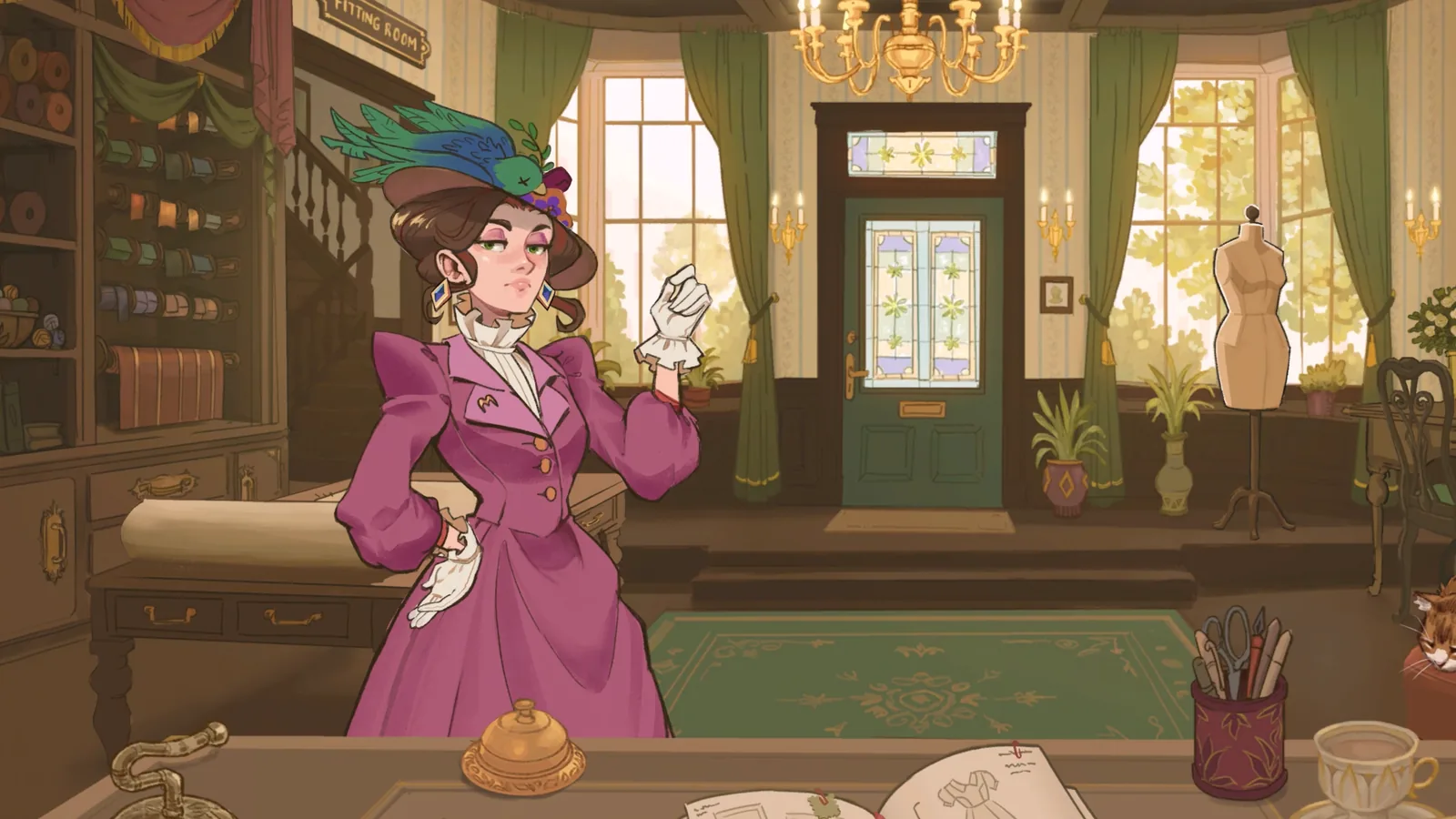
After Build 443: Recheck Colours Before Recutting
Colour and fabric-type percentages now give small components, such as collars and sleeves, more weight. Existing dresses can therefore show different results after updating. Style tags already used that kind of weighting; this is not a newly published universal scoring formula.[1]
Reopen the active commission and inspect its current requirement indicators. If a colour or fabric check differs from an old screenshot, look at the small components as well as the skirt and bodice before buying replacements. Change one choice at a time and compare the in-game result; do not infer a fixed percentage from visual area alone.
For Fiona’s three-colour order below, the old pattern combination remains a starting point, not a guaranteed pass. The patch does not identify a universal solution to every stuck colour counter. If the indicator never responds, report the commission, fabric names, affected panels and installed build.
Want to Make Your Own Dress Between Orders?
The developer confirms that off-the-rack dresses unlock after the third commission in the full game. They let you choose your own design, within your gold and unlocked items. Follow the off-the-rack unlock and selling guide to find the sketchbook route and keep selling stock separate from completing a customer's order.
Fiona's Vegetable Empire: Check Three Fabric Colours
The launch walkthrough describes a gardening dress with Cute, Playful and Workwear traits plus three different colours. Treat the colour requirement separately from the coloured trait bars in the sketchbook.
A reported starting design uses an apron skirt with an apron, ruffle-apron or milkmaid bodice, then short puffed or butterfly sleeves. Before spending gold, compare it with your current commission and plan three distinct fabric colours across the panels. Recheck the displayed colour count and trait requirements; a suggested pattern combination is not a guaranteed pass.
This starting point is from Into Indie Games' Vegetable Empire walkthrough ↗. It does not establish a colour-count formula or a fix for a stuck counter. If the count disagrees, record the fabric names, panels, build and requirement screenshot for a report.
Full-Game Customer Orders: What Is Confirmed
The official Steam description says the complete game is built around townsfolk with individual tastes and important events. The supported loop is: read the commission, choose dress pieces and fabrics, arrange and cut the pattern, sew the garment, add decorations, and turn in the finished dress for reputation and coin. The game also lets you sell pre-made dresses through the shop window, which is separate from a named story commission.
Officially Named Major-Commission Characters
Light name spoilers: Steam's public achievement descriptions confirm major-commission lines for these characters:
Alice, Rose, Dorothy, Marie, Fiona, Vivian, Edith, Adora, Prudence, and Priya.
This is a verified achievement-linked roster, not a claim that these are the only customers in the game. Hidden achievement conditions and each character's exact preference formula are intentionally not guessed.
For a current order, prioritize the requirements shown in the released game's own commission and sketchbook UI. If a prototype tip below conflicts with that UI, the released build is authoritative.
After Build 403: summon the next customer and check payment
When you finish with a customer in the Steam release, ring the bell to summon the next one; waiting at the counter alone is no longer the next step. The developer also says Build 403 fixes a case where a failed commission paid nothing even though the character accepted it. First let Steam install the update, then check whether the character accepts the submitted dress and whether coin is awarded. If that exact accepted-but-unpaid result persists, report the build and commission rather than assuming an undocumented scoring rule.
This is the developer's Build 403 patch report ↗, not a site-tested payout guarantee. It does not establish a fix for three-colour requirements or every submission problem.
Marie's order is missing from your notebook?
- Open the notebook and start at the page listing the townspeople.
- Turn the dress/commission pages using the lower-right page corner. Check each page for Marie's order; players in one launch-day discussion found an entry labelled “Respectful Funeral” this way.
- If the page is present, use the requirements shown in your current build. If it remains absent after checking the pages, note your build, the notebook page you reached and what the counter shows, then report the issue. Do not spend materials repeating off-the-rack dresses solely on the assumption that a fixed number unlocks Marie.
This is a player-reported notebook check ↗, not a confirmed unlock formula. It worked for several participants; another said turning pages did not help. No fixed level or off-the-rack count has been verified.
Launch-Day Commission Examples
A hands-on walkthrough published by Into Indie Games on September 21, 2026 documents workable starting choices for the first three commissions. These are examples, not the only valid dresses: the released game allows different pattern, fabric, and accessory combinations. Keep the commission requirements visible and treat a green in-game requirement as more current than any fixed web recipe.
First commission
Librarian Workwear
Build toward Professional. The documented route uses a princess bodice with a collar, peasant sleeves, and a pencil, princess, or straight long skirt.
- Start with the cool grey linen already available because it adds Professional.
- Recheck the draft total before buying extra fabric or decoration.
Funeral commission
Flamboyant Funeral
Build toward Glamour and Elegant while respecting the instruction to avoid black.
- A sweetheart bodice, flounce sleeve, and mermaid skirt supply a useful draft base.
- Use velvet to raise the missing attributes; elegant white lace is an optional finishing choice.
Funeral commission
Fierce Funeral
This brief reverses the colour condition: use black only and build toward Gothic plus Professional.
- The documented draft starts with an elevated sweetheart bodice, pointed collar, flounce sleeve, and professional skirt.
- The published walkthrough names black-and-white polka linen, black corduroy, and black wool pinstripes for attributes. Its polka example conflicts with a literal black-only requirement. Check the current order's colour indicator before buying; choose a black option that satisfies both colour and attributes, and use black trim if needed.
Use the examples without locking yourself into one recipe
Draft for the required attributes first, then use the Emporium filters to close any gap with fabric. Stay within budget and slow down on curved sewing lines. If a requirement will not register even when the UI shows the right choices, stop spending materials and check the troubleshooting guide rather than repeatedly rebuilding the same dress.
Walkthrough reference: Into Indie Games, “Dressmaker Tips And Commission Walkthrough” (September 21, 2026) ↗. The exact combinations above are a single published playthrough and may change after patches.
👗 Understanding Customer Requests
In the Dressmaker prototype, customers visit your shop with specific requests. Each commission includes:
Request Components
Occasion
The event or context (e.g., "work dress," "fundraiser," "ball")
Style Requirements
Tags like "professional," "cute," "elegant" that must be met
Budget
Maximum amount you can spend on fabric
Quality Expectation
Minimum quality score required (achieved through sewing + grain alignment)
What Currently Matters (v0.5.5)
- Fabric and pattern choice: Preview their combined tags in the sketchbook after adding fabric samples.
- Sewing quality: Follow dotted lines, align grain properly
- Budget management: Don't overspend on materials
Other Prototype Limits
- Pattern selection: The developer says pattern choices contribute to the tags shown with fabric samples; the exact score weights are not published.
- Accessories: Their exact prototype score contribution is not established by the developer's tag explanation; check the visible preview.
- Color preferences: No specific color requirements exist (choose freely)
⚠️ Common Frustration
In Prototype 0.5.5, check the combined fabric-and-pattern tags in the sketchbook. Do not assume the same scoring weights in the complete release without testing them there.
👤 Known Customers (Prototype 0.5.5)
The prototype features approximately 5 commissions from a small cast of characters. Here's what we know about confirmed customers:
Rose
The Librarian
📋 Commission Details
- Occasion: Work dress for library
- Style Required: Professional / Workwear
- Description: "Smart but also relaxed"
- Later Event: Fundraiser dress (second commission)
🎨 Preferences
- Color Preference: Green (evidently)
- Personality: Polite and reserved
- Note: Appreciates modest, simple designs
Tip: Use green argyle or solid green fabrics with "Workwear" or "Professional" tags. One player successfully made "a green argyle frock with a white bow at the collar and daisy-shaped buttons."
Prudence
The Socialite
📋 Commission Details
- First Request: Fundraiser dress
- Second Request: Ball/evening gown
- Style Required (2nd): Cute (confirmed)
- 【Rumored】Goal: Catch the eye of a duke
🎨 Character Notes
- Fashion Choice: Uses dead bird as accessory
- Personality: Memorable (polarizing)
- Sabotage Target: Popular choice for mischief
Tip: For her "cute" requirement, focus on fabrics with "Cute +" tags. Bows won't help! One reviewer jokingly gave her "Dollar Tree Morticia Addams" as sabotage.
🤷 Other Customers
The prototype includes additional customers for the remaining ~3 commissions, but specific details (names, preferences) are not yet documented in available sources. Players mention:
- A request for a "gaudy / cute dress"
- Various work, casual, and formal occasion requests
- 【Speculation】Character named Edmund (possibly related to Rose)
If you want to compare prototype observations, use the official Discord ↗. Treat unverified player notes as community reports, not confirmed scoring rules.
🧵 Fabric Selection Strategy
In Prototype 0.5.5, fabric samples and pattern choices combine to show tags in the sketchbook, according to the developer's September 2025 update ↗. Preview that combination before buying. In the released game, use the current commission UI and Emporium filters described in the launch-day examples above instead of assuming prototype score weights still apply.
Quick Reference: Fabrics by Common Requests
| Request Type | Look For These Tags | Example Fabrics* |
|---|---|---|
| Work Dress (Library) | Professional, Workwear, Daywear | Solid cottons, wool blends, argyle |
| Cute/Playful | Cute, Romantic | Gingham, floral prints, pastels |
| Elegant Evening | Elegant, Formal, Glamorous | Silk, satin, velvet, darker solids |
| Fundraiser/Ball | Formal, Elegant, Romantic | Luxe materials, elegant patterns |
| Casual/Daywear | Daywear, Casual | Cotton prints, linen, simple patterns |
*Specific fabric names vary; check tags in-game
Budget Management Tips
- 1. Calculate Before Buying: The prototype does not show a universal total fabric requirement upfront. Draft first, group pieces by fabric, and use the Fabric Budget Guide before shopping.
- 2. Mix Cheap + Tagged: Use expensive tagged fabric for the most visible piece (bodice or skirt), cheaper matching fabric for other parts.
- 3. Avoid Waste: Efficient pattern placement saves money. Align grain properly (left/right arrows) to avoid recuts.
- 4. No Undo: If you overspend, you'll need to restart the dress (or entire game in prototype). Plan carefully!
😤 Common Frustrations & Workarounds
Accessory Score Is Unclear
Problem: You add cute bows to hit "cute" requirement, but they don't contribute to style points.
Why: The developer describes fabric-and-pattern tags in the prototype sketchbook; this page has no verified prototype accessory score formula.
Workaround: Meet the visible required tags first. Add accessories when the commission asks for them or when their in-game preview improves the result.
Version boundary: The official full-release materials do not publish an accessory scoring formula.
Pattern Tags Seem Missing
Problem: You change a pattern piece, but the sketchbook does not yet show a new tag result.
Why: The developer says fabric samples must be added before the combined pattern-and-fabric tags appear in the prototype sketchbook.
Workaround: Drag in a fabric sample, then compare the tag preview when changing pattern pieces.
Version boundary: Check the released game's own preview; no official numeric scoring formula is published.
No Color Preference System
Problem: Rose "evidently prefers green" but the game doesn't penalize non-green choices.
Why: Color preferences are not mechanically enforced in Prototype 0.5.5.
Workaround: Use implied preferences (like Rose + green) for immersion, but don't worry about penalties.
Version boundary: Individual tastes are part of the full-game description, but no official color-bonus formula is published.
Hard to Remember Which Fabrics Have Which Tags
Problem: You go back and forth between shop and sketchbook trying to remember tags.
Workaround (In-Game): Some players use the colored pencils to mark fabrics in sketchbook. Drag fabric samples into sketch for reference.
Workaround (External): Keep notes or screenshot the shop to reference tags.
Full-game change: The September 21 launch walkthrough documents Emporium filters for fabrics and accessories. Use those filters in the released build; the note-taking workaround remains relevant only to the prototype archive.
No Specific Guidance on What Customers Want
Problem: Request says "simple but cute" – what does that mean in fabric terms?
Why: Prototype has minimal customer dialogue/personality.
Workaround: Focus on the style tags listed in requirements. "Cute" = find "Cute +" fabrics. "Simple" = visual interpretation (solid colors, clean lines).
Version boundary: Official materials mention individual tastes and important events, not a confirmed relationship-level system.
Full-Release Evidence Boundary
Official Steam materials confirm a larger town, townsfolk with individual tastes and important events, approximately 35 hours of story commissions, and a much larger library of dress pieces, fabrics, and accessories.
- Confirmed: more than 150 dress pieces, 450 fabrics, and 350 accessories.
- Confirmed: approximately 35 hours of story commissions, excluding off-the-rack dresses.
- Not published: an exhaustive customer preference list or exact scoring formula.
- Not safe to assume: Prototype 0.5.5 workarounds, tag behavior, customer patience behavior, or dialogue-reset tricks carry over unchanged.
Verification notes
The detailed tag and customer notes above are limited to Prototype 0.5.5 and are not an official exhaustive formula. Full-release claims are restricted to the official sources below.
- Official itch.io prototype page ↗ — prototype version, platforms, and core loop.
- Official Dressmaker Steam store page ↗ — full-game town, customer, shop, and customization descriptions.
- Official Steam announcements ↗ — campaign length and design-library counts.
- Official Steam achievements ↗ — public major-commission character names; hidden conditions are not inferred.
- Free Lives Dressmaker press kit ↗ — developer, publisher, platforms, and official screenshot.
Sources & verification
[1] Dressmaker team, October 14, 2026: Steam Community — Build 443 notes ↗. Checked October 15. These are developer-reported changes; this site has not tested the patch in game.