When Does Off-the-Rack Dressmaking Unlock?
Finish the third commission first. Developer Elyaradine gave that unlock point in a reply about free design and replayability ↗. You do not need to finish the story to begin making your own dresses.
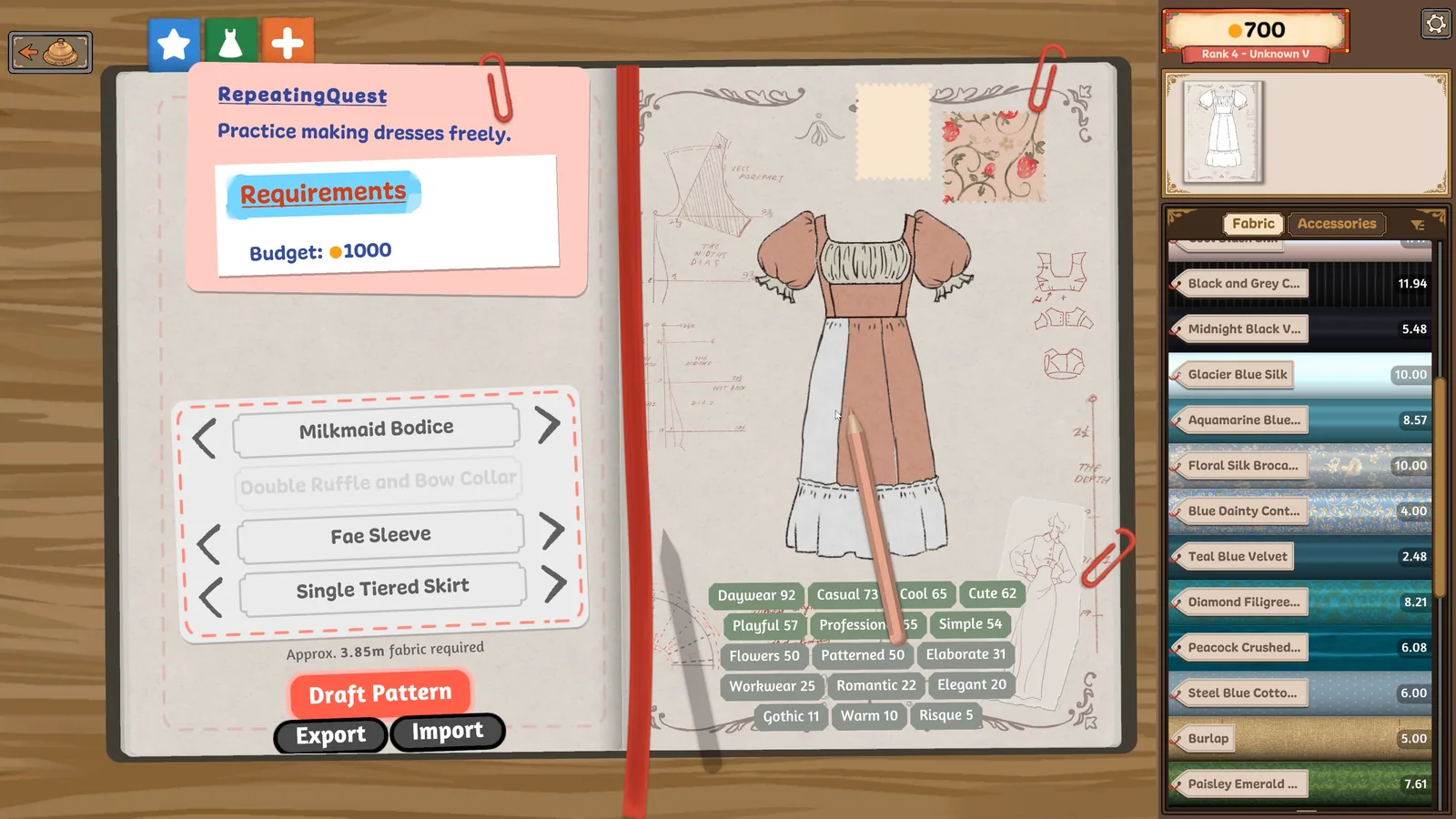
Once that feature is available, the sketchbook is the place to look. Seerolz's launch-week gameplay notes describe turning to the next dress page to start an off-rack design. Check the page's task before drafting so you do not accidentally keep working on a customer's commission.
From Your Own Design to a Dress for Sale
- Choose the off-rack page. Open the sketchbook and turn through the dress pages after the unlock. Keep a named customer order separate from this design.
- Plan around what you have. Pick your silhouette and fabric combinations. Gold and unlocked items still matter, so check your inventory before buying a new bolt. The fabric budget guide helps you plan the purchase.
- Make the dress through the usual stations. Design, cut the panels, then assemble, sew and decorate. Use the panel location hints if an unfamiliar piece is hard to identify.
- Check the finish action. If you cannot finish, inspect the mannequin for an unplaced panel or unfinished seam. Those are player-reported causes, not a diagnosis of every missing button.
- Choose selling for stock. Follow the game's Sell action when you intend to sell your own dress. Pause at any confirmation and check the selected dress. Do not substitute selling for completing a named customer's commission.
The sketchbook, finish checks and selling distinction are based on Seerolz's original player guide ↗, updated September 25; it does not state an exact build. The official Steam description ↗ confirms selling your own pre-made dresses through the shop window. We have not tested this sequence in game.
Sponsored
Cannot Find the Page or Still Have an Open Order?
First separate two situations: wanting to start a dress for sale, and trying to find a missing customer order. Turn through the sketchbook pages and read the task on the page you reach. For Marie's missing order, use the specific notebook check; making a fixed number of off-rack dresses is not a verified unlock rule for her commission.
If the off-rack option is still absent after the third completed commission, record the last completed order, visible notebook page and installed build. Send those details with a bug report. Avoid spending materials on repeated test dresses without knowing which task is active.
Is This Unlimited Free Play?
It provides freedom to choose the dress, but the developer explicitly notes gold and unlock restrictions. If your goal is to try a new silhouette between commissions, this is the supported route. If you want every material unlocked and no spending limit, do not assume off-rack mode provides that.
This guide does not establish post-story reset behaviour or a guaranteed profit formula. Pick a design you can afford, inspect the actual selling result in your build, and return to the customer guide when you want to advance an order.